Account
Plans and billing
What Free, Pro, Team, and Business include, and how to change a plan.
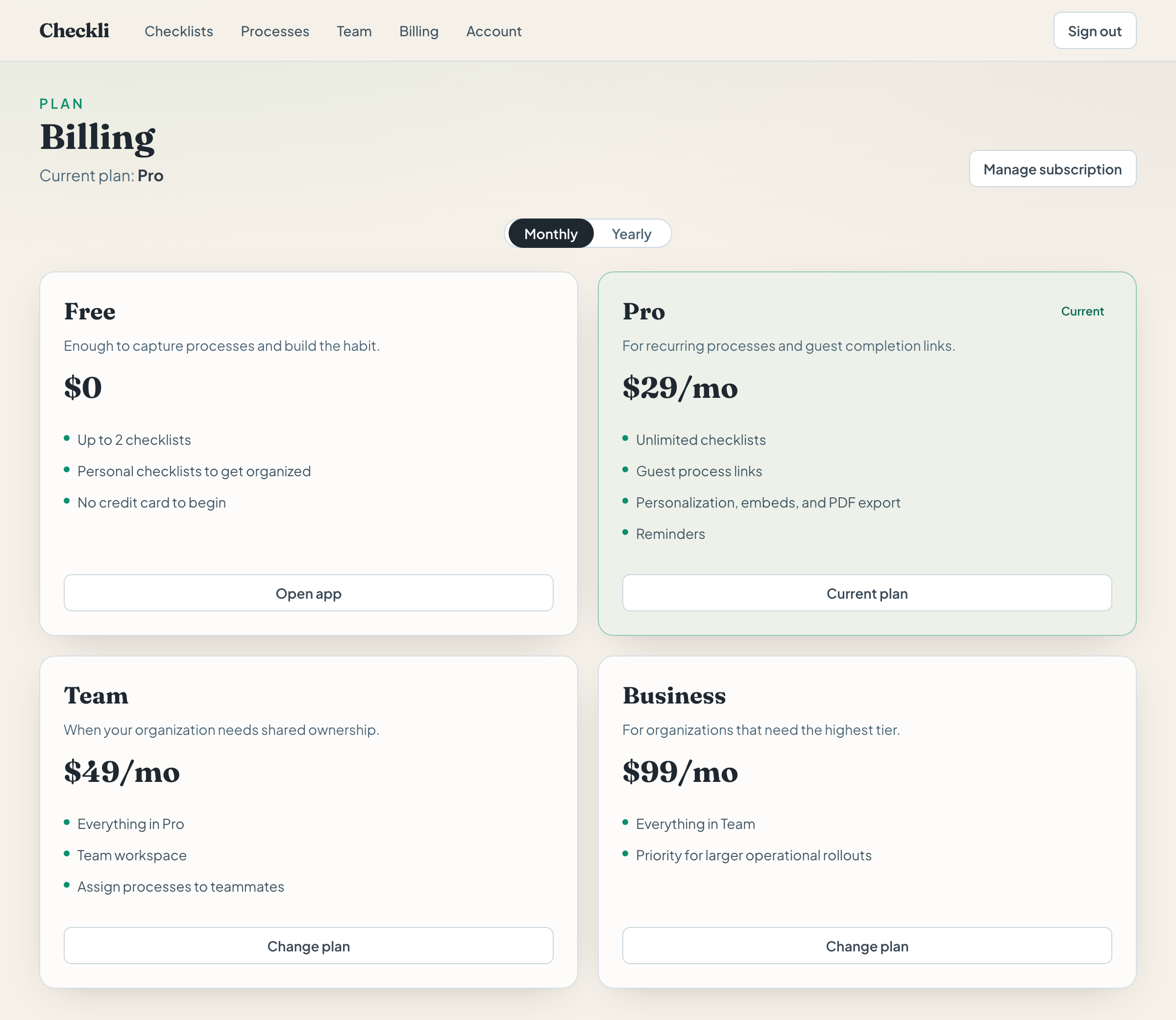
You can create checklists on the free plan. Pro is the plan for guest links, reminders, and more than two checklists. Team adds a shared workspace. Billing shows the current plan and the price Stripe has for each tier.
Free
- Up to two checklists.
- Tasks, sections, folders, processes, and the read-only link.
- No card to begin.
At two checklists, New checklist becomes Upgrade for more checklists. Duplicate does the same when there is no room for another copy.
Pro
- Unlimited checklists.
- Guest process links, so someone can check tasks without an account.
- Reminders to the checklist owner.
- Checklist appearance: check style, columns, colors, and fonts.
- Embeds, and CSV and PDF export.
Team and Business
Team includes everything in Pro, plus a team workspace and assigning a process to a teammate.
- Open Team and click Create team.
- Enter the person’s name and email and click Invite member.
- On a checklist, Share then shows Start process for teammate.
Invites and assigning a process are on Team.
Business
Business includes everything in Team. Covered in See every run.
- Building lists open runs and finished runs, and who has each one.
- Checkli emails that person when someone else marks a run complete, and once when a run is still open eight hours after it started.
- Record lists who checked each step and when.
Change a plan
- Open Billing.
- Choose Monthly or Yearly. Yearly shows the annual amount and the monthly equivalent.
- Click Subscribe on the plan you want. Checkli opens Stripe Checkout. Use a real card there when you are in live mode; a test card only works while the site is in Stripe’s test mode.
- After payment, Billing shows the new current plan.
If you already subscribe, Change plan and Manage subscription open the Stripe customer portal, where you update the card, switch tier, or cancel. Canceling does not delete your checklists.
Account
Account shows your email, username, plan, and whether the email is verified. Resend link sends the confirmation email again. Delete my account anonymizes the profile and soft-deletes checklists. Checkli asks you to confirm, and that delete cannot be undone.
Example
A teacher starts “Classroom closing” on Free, next to one other list. When she needs a third checklist, guest links for substitutes, and a daily reminder, she opens Billing and subscribes to Pro. The two checklists she already has stay put.